The script is the source of truth.
Production picks up where the pages end: shot list, references, frames, video, export. Each stage reads the one before it, so a shot knows its scene, a storyboard knows its shot, and a video take knows its storyboard.
Planned like a director, then shot.
Shot List Wizard reads a scene and breaks it into shots: what happens, camera, movement, lighting, sound, duration, and which references appear. Choose how it directs.
Two passes
A model asked for shots straight away invents a new look every few shots. So the wizard plans before it writes.
- Pass 1 plans. Which characters, places and props recur, how long the scene runs, a range for the shot count, and a visual memo anchored at the opening and at 25, 50 and 75%.
- Pass 2 shoots. It writes the shots against that plan, and every shot must reuse the tokens pass 1 created. No new "woman in a flightsuit" halfway through.
Pass 1 · visual memo
anchored across the filmHow the film looks when it starts.
Where the look has moved by the end of the setup.
The midpoint palette and light.
The look going into the ending.
Clips a generator can actually make
Video models make short clips, so every shot is sized for one. Pick one of 11 clip lengths from 5 to 35 seconds, and how a longer beat is split:
Cut
Each clip ends where the next begins.
Cut with overlap
Each clip repeats the last beat of the one before, so video generators can stitch them.
Timestamp
One shot, with timecodes inside it for each beat.
Hidden
No split marks in the shot at all.
Rules it follows
What a shot looks like in BeatBandit
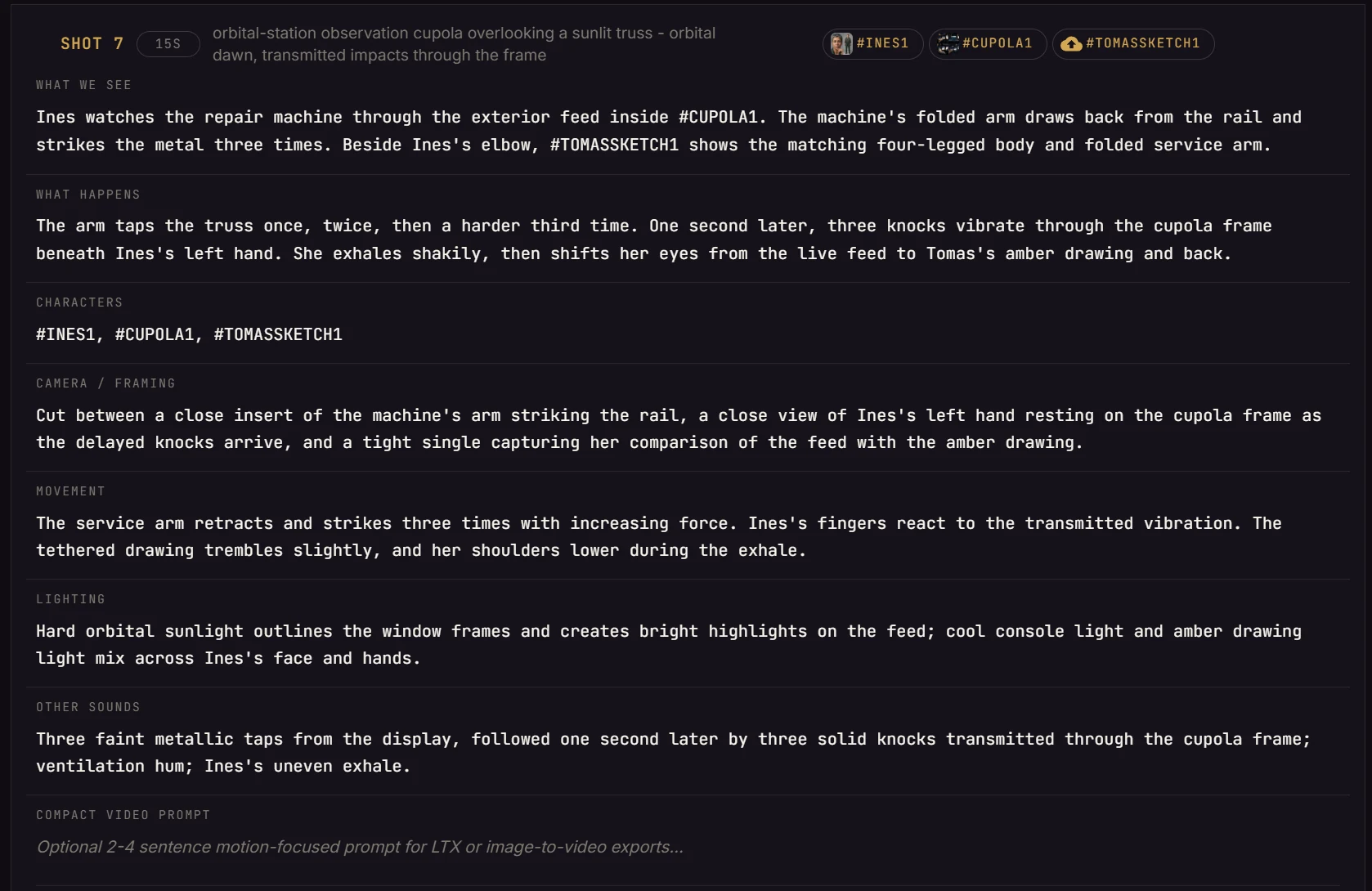
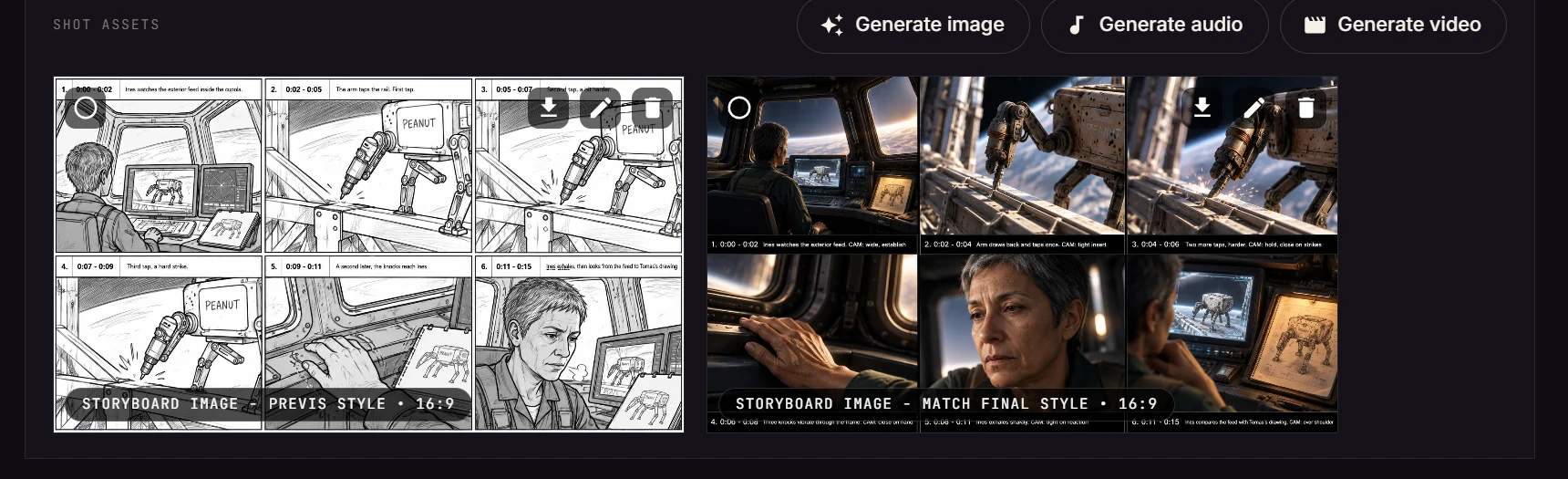
Station One, scene 9, shot 7: Peanut taps the truss three times and the knocks arrive through the Cupola frame under Ines's hand. The wizard wrote every field below; the chips are the references this shot draws from. Everything is editable.
Art direction before the first frame.
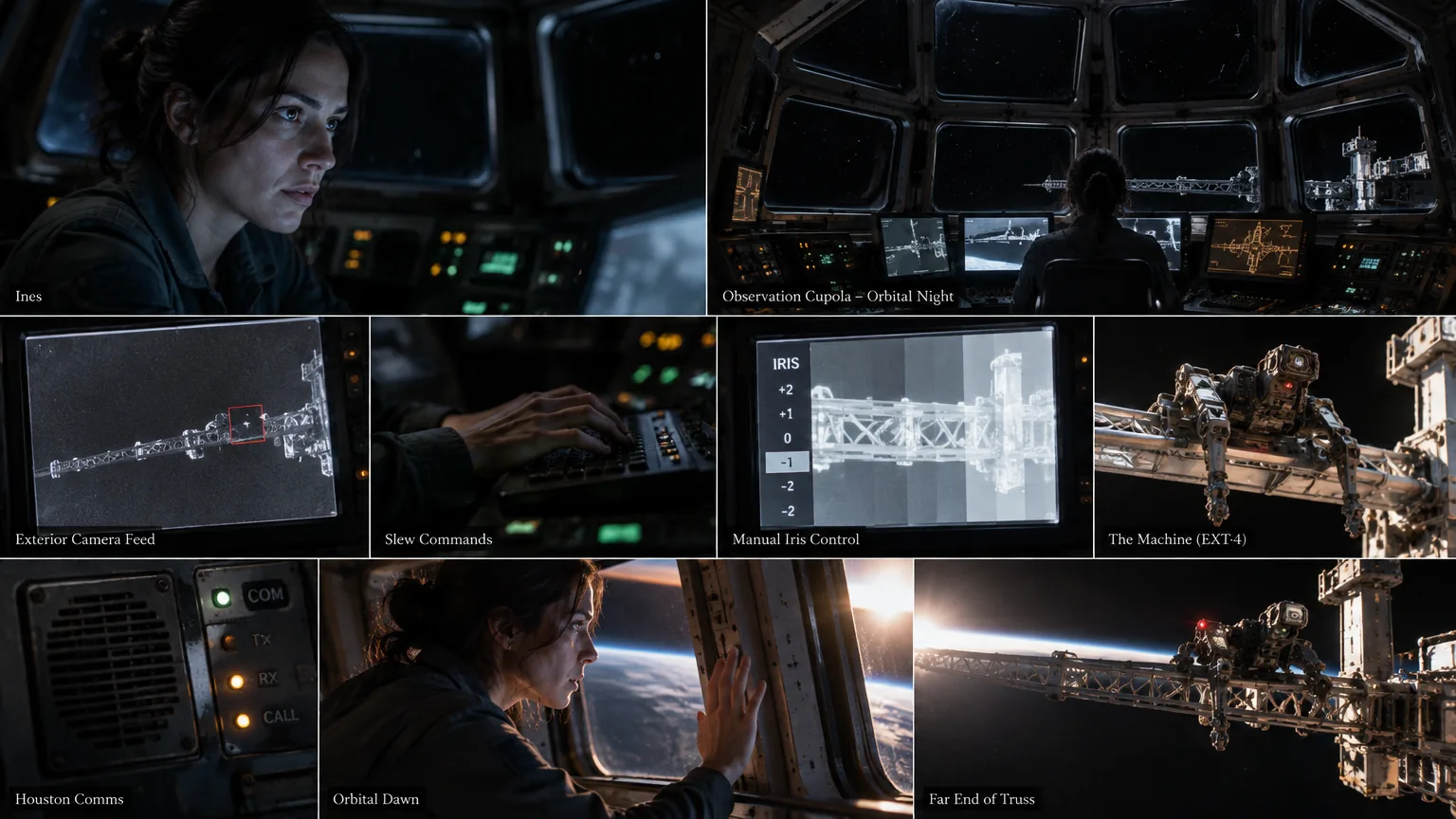
Pick a visual style for the project, then generate a moodboard for each scene: the characters, the rooms, the props and the light, on one board. It's how you find out the look is wrong before you've paid for fifty frames.
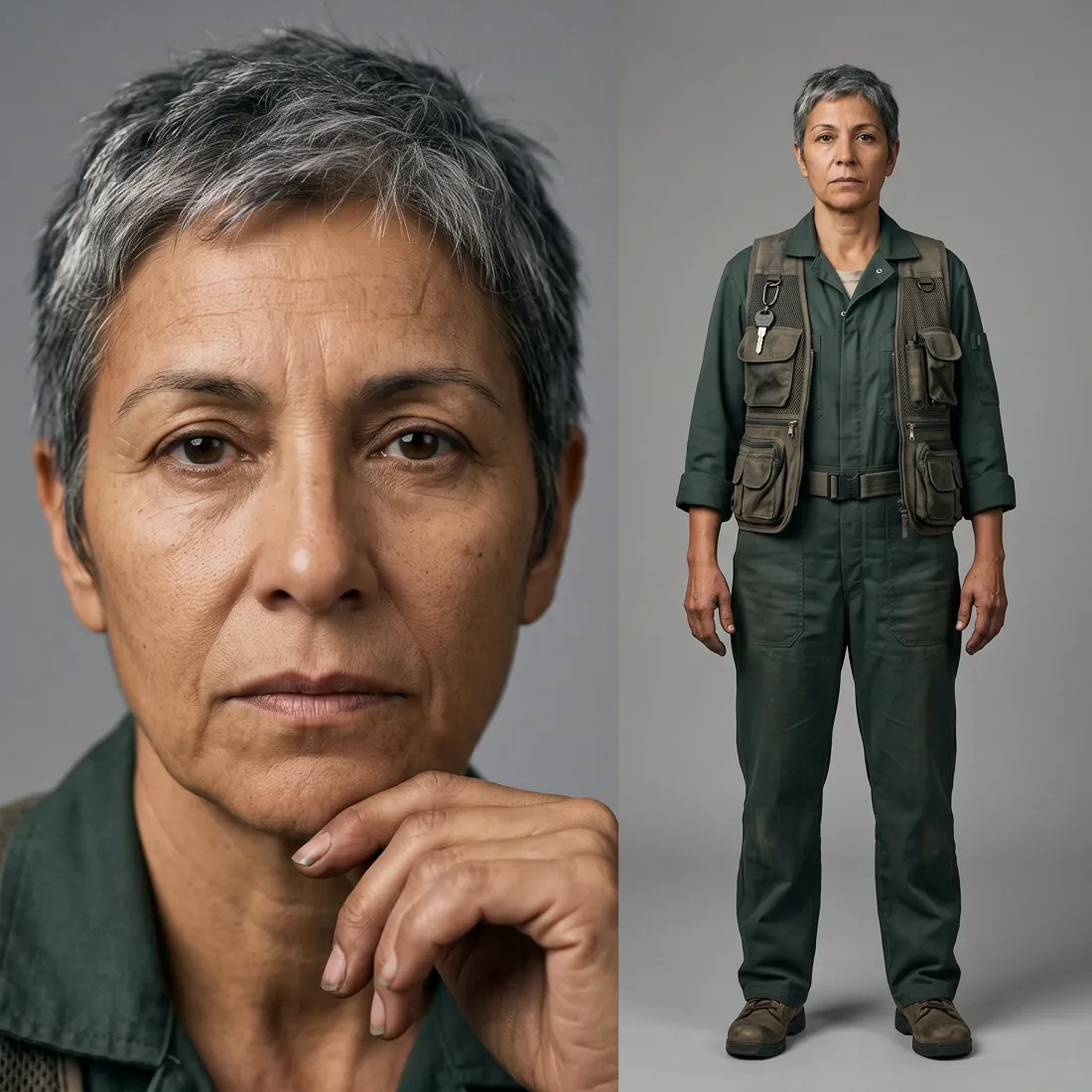
Ines looks like Ines in shot 1 and shot 300.
Consistency is the hard problem in generated film. BeatBandit treats it as a data problem: every recurring character, place and prop gets a token and a reference, and every image and video generation uses them.
Three references, one world: every frame of scene 9 is drawn from these.
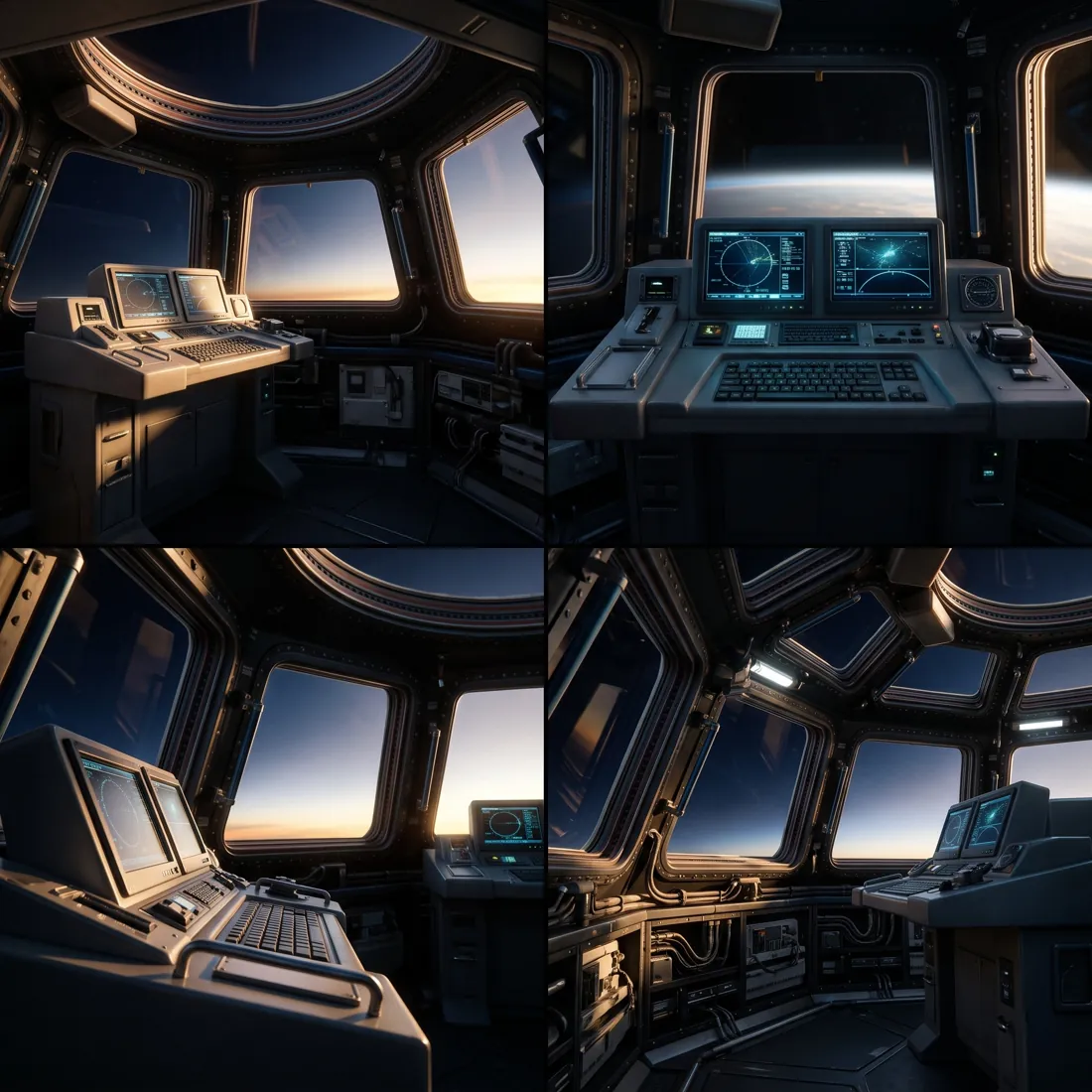
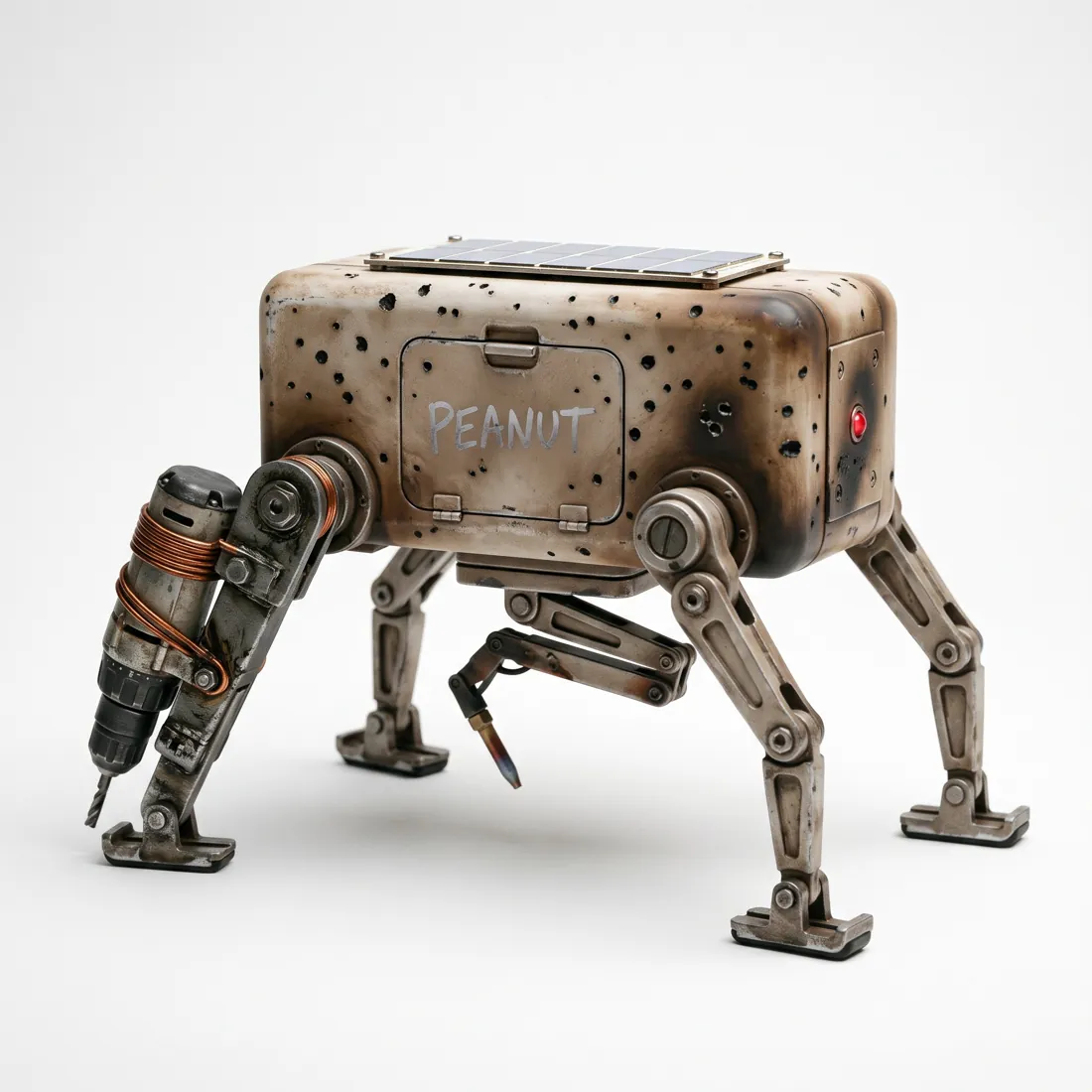
How references work
- One token, the whole project. #INES1 means the same face in scene 2 and scene 36. Shots, storyboards and video prompts all resolve the token to the same images.
- Variants when a look changes. A spacesuit, an injury, a haircut: the token keeps its identity and gets a new numbered variant, so the change is deliberate, not drift.
- Places from every side. Environment references are sets of unlabeled views from several angles, so a reverse shot is still the same room.
- Merge without breaking anything. Two tokens that turned out to be the same thing merge into one, and every reference moves with it.
A voice, too
Each recurring character also carries voice direction, written in pass 1 and editable. It drives generated dialogue, or you upload a sample of the real voice. Ines:
Middle-aged female, low restrained register, concise diction, measured pace, and a lightly worn texture. Quiet, controlled delivery with long thinking pauses; avoid melodrama or overt sentimentality.
Finished boards, or rough previs.
Every board is drawn from the same two things: the shot and its references. Rough previs to work out blocking fast, or a finished storyboard to show people the film. Same references, same Ines, same Peanut.
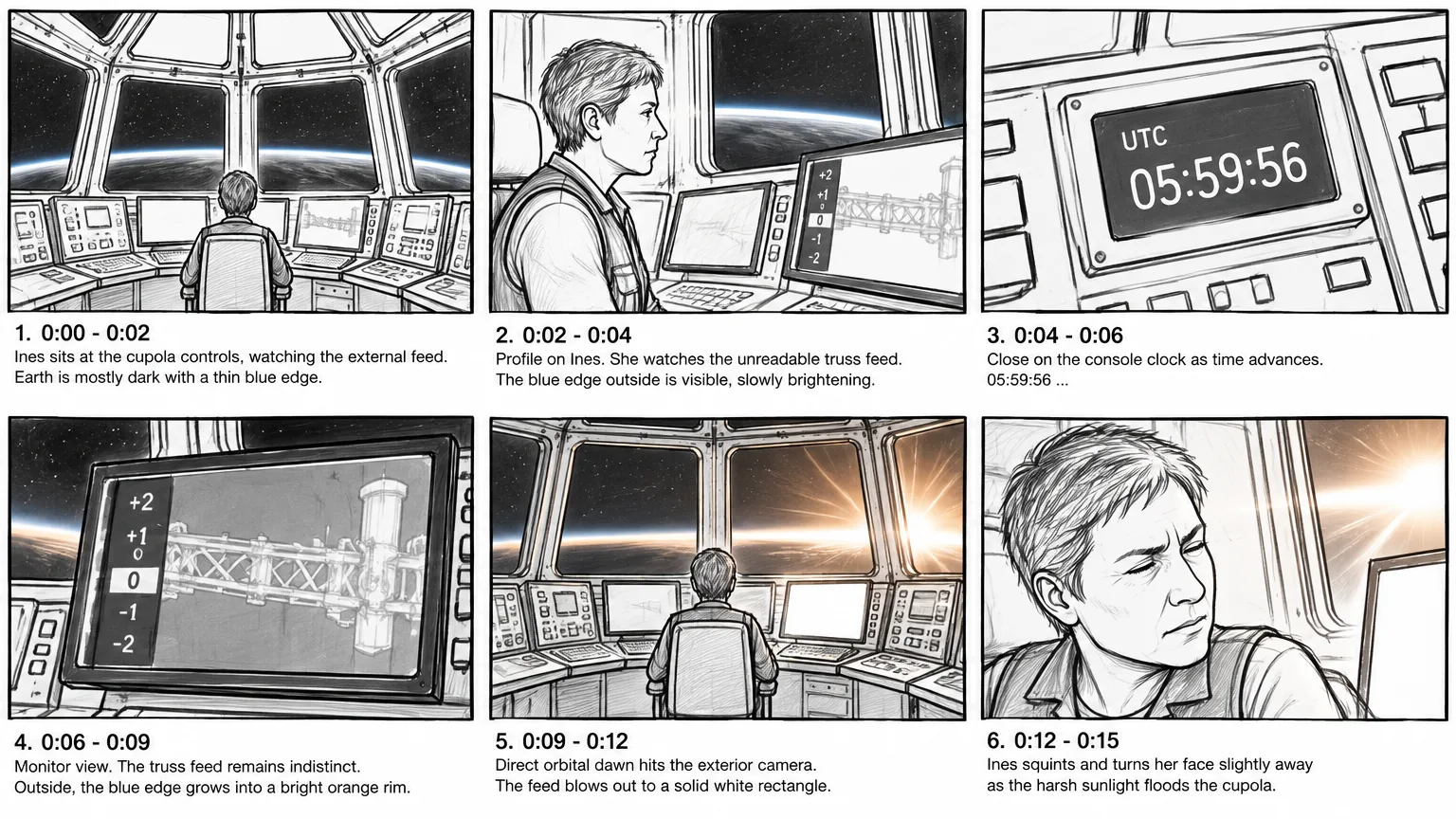
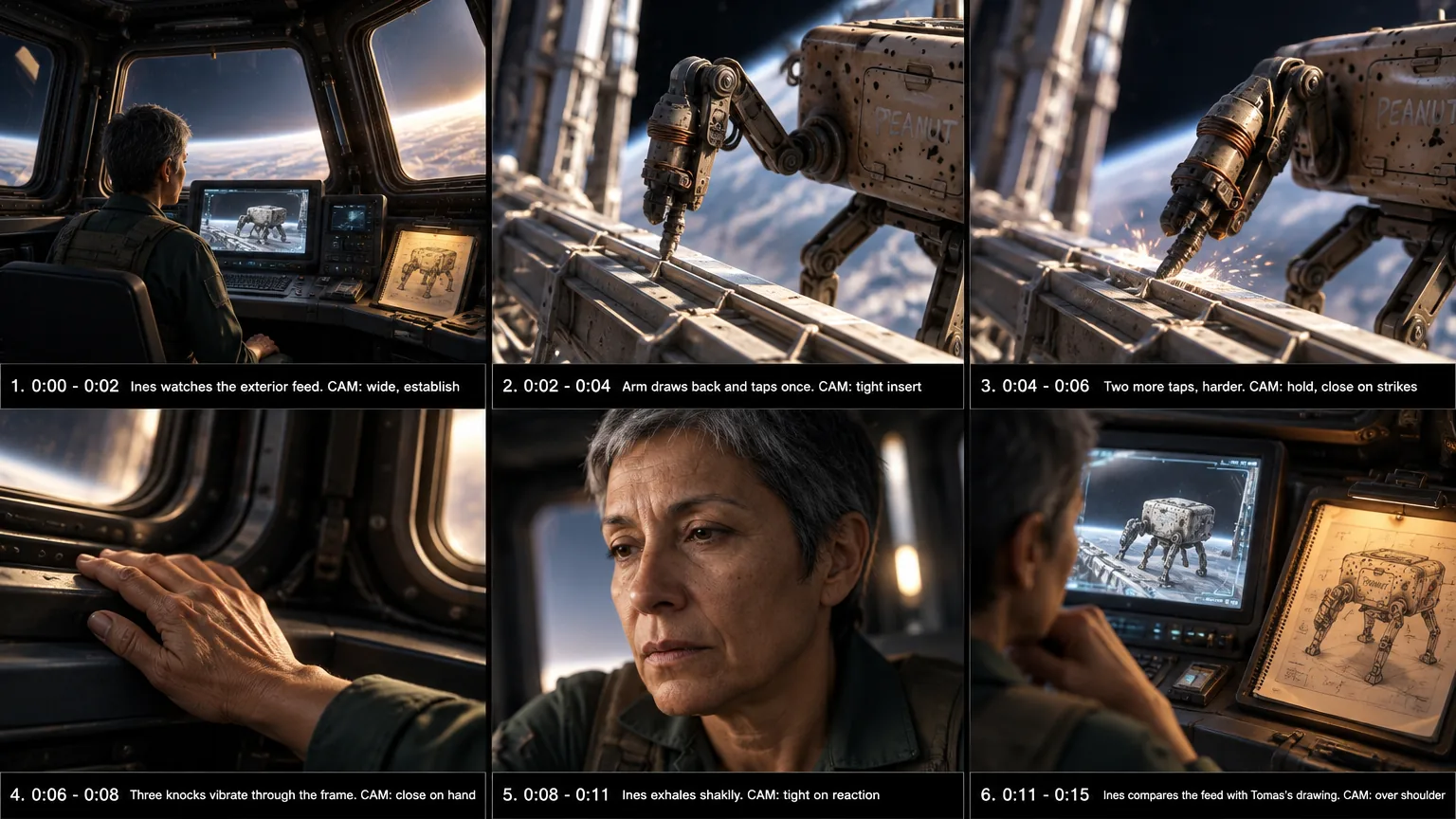
Draw on it to change it
Circle the hand, write "palm flat on the glass", and an edit model applies it. Every edit is a new version; the old one is never overwritten.
Continuity from the last shot
The previous shot's image can ride along as a reference, so the room, the light and the costume carry over, without copying the composition.
First and last frames
Generate photoreal first-frame and last-frame candidates for a shot, and hand the video model both ends of the move.
A film is half sound.
Voices, music, effects and full scene audio are generated in the same project, as assets you can audition, pick between and drop on the timeline.
Voices
Dialogue and speech in each character's voice, from the voice direction on their reference or from a sample you upload.
Music
Score and cues from dedicated music models, placed on their own audio track.
Sound effects
Ambience and spot effects from a text description: the hum of a station, a drill tapping on metal.
Scene audio
A shot's full soundscape, timed to the shot, which video models that accept audio can use as a reference.
Shot 9: Houston calls, Ines doesn't answer
The Cupola's scrubber and hum, capture tones, and Marcus on the radio: "Station, Houston, how do you read." Then, quieter: "Ines."
Three knocks through the hull
Once, twice, then a little harder: the knock Tomas always used, felt through the station's frame.
Orbital dawn
A 30-second cue for the reveal: a low pad, sparse piano, and a string swell as the sun breaks over the Earth.
27 video models. One continuous scene.
Generate takes per shot with the model that suits it, keep the ones that work, and let each accepted take inform the next.
Every shot, its own model
27 models across 11 families, image-to-video and reference-to-video. A few of them:
Continuity you can see
- Storyboard to video. A take starts from the shot, its references and its board or first frame, so the clip moves the way the shot was planned.
- Accepted takes build continuity. Accept a take and it is stored as a timestamped contact grid. The next shot can be generated against it.
- Changes ripple honestly. Replace an earlier accepted take and every take that depended on it is marked stale, so you know exactly what to regenerate.
- No surprise score. By default, video models are told to leave out background music and keep only the sound of the scene. Music is yours to add.
Cut it like an editor.
A real multi-track timeline for video and audio, with the tools editors expect. Takes and sound from the project are already in the assets panel.
Out the door
MP4
The cut, rendered with an audio mix and loudness normalization.
Shot list PDF
Every shot with its fields, for a crew or a producer.
Shot list + images ZIP
The shot list with its frames, ready to hand off.
LTX Desktop package
The project packaged for import into LTX Desktop.
The best image and video models, per shot.
Storyboards and frames come from 11 image models, like Nano Banana 2, GPT Image 2.5 and Seedream 5.0 Pro, with 4 edit models for drawing on a frame. Video comes from 27 models, including Veo 3.1, Sora 2 and Seedance. New models are added as they come out.
- OpenAI
- ByteDance


No script yet? Start in Write →
Or read Station One, the screenplay every frame above comes from, on the Samples page.